Skip to content

Lunargent: A world where your story continues

Read the legend
  • Interlude x1
  • No wipes
  • Modern client
  • Auto-combat and auto-potions
  • Passive buffs
  • Offline trade

The Legend of Lunargent

The world of Lunargent

Events and dungeons

Grand Olympiad

Daily, server time20:00–00:00

The core Interlude rules are kept. Fights take place in four renewed arenas, each match separately. Before the start you can pick 5 buffs from the Olympiad Host. Server passive buffs are off in the arena.

Kamaloka

Once a dayWith a party or solo

Hall of the Abyss and Labyrinth of the Abyss are party dungeons. Rim Kamaloka can be entered solo. Each type has its own daily cooldown.

Features

Passive skills

Most buffs, songs and dances are learned as you level and work all the time. No need to refresh them on a timer.

Weapon augmentation

When you re-augment, you first see the new effect and choose whether to replace the old one or keep it. Stones and consumables are spent either way.

Multi-login

Up to three windows at once, including characters of one account. One auto-hunt runs across all windows.

Auto-hunt and offline mode

Built-in auto-hunt is available to everyone from level 1: radius, target list, timer, auto-potions. In offline mode the character keeps hunting after you leave the game: with premium Light up to 4 h, Max up to 8 h per day.

What else has changed

Armor and weapon looks, cloaks, auras and mounts with no effect on stats, with a fitting room at Lucian in Giran. Up to three equipment sets and two dye sets with quick switching. A renewed Alt+B board.

Subclasses

As in Interlude: a subclass is available from level 75 of the main class after the Fate's Whisper quest, Noblesse comes with the Possessor of a Precious Soul quest.

Community

Play now

Create account

In your personal cabinet you create game accounts.

We will email you a confirmation code.

By creating an account you accept the Terms of Use and the Privacy Policy.

Game files

The launcher needs no installation: it downloads the client and keeps it up to date.

Windows 10 and 11, 64-bit, 21.4 MB

Server: checking…

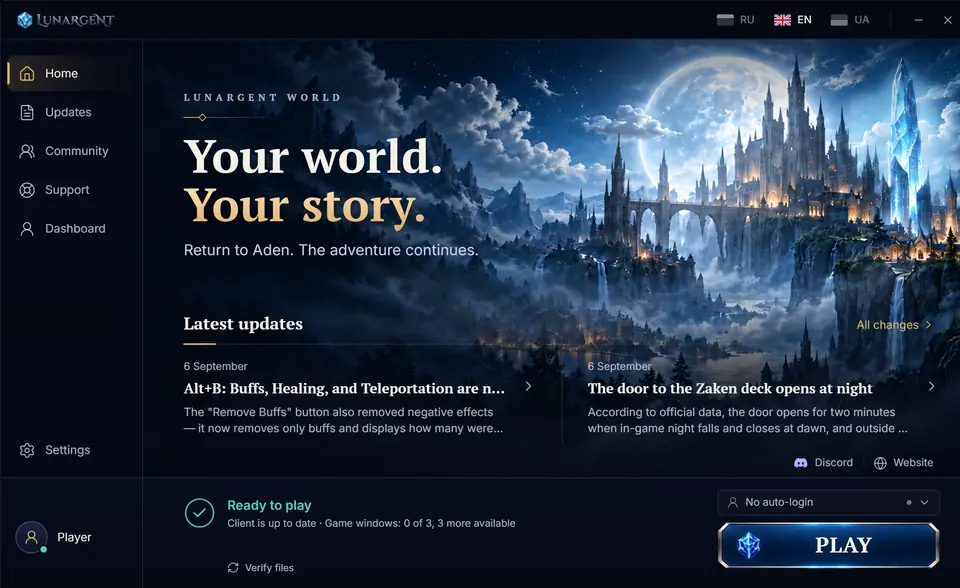
Lunargent launcher home screen: latest updates, client status and the Play button

Common problems and tips

Windows 11 blocks the client

This is Smart App Control. Open Start, search for «Smart App Control» and turn it off. Note: it can only be turned back on by reinstalling Windows.

«Windows protected your PC» window

This is SmartScreen warning about new programs. Click «More info», then «Run anyway». Download the launcher only from this site.

The antivirus deleted or blocked files

Add the game folder to your antivirus exclusions and run the file check in the launcher: it downloads whatever is missing.

The launcher doesn't see my game account

Your site account and your game account are different. Create a game account in your personal account under «Game accounts» and sign in to the launcher with the same profile.

I can't log in to the game

Check the server status in the site header. If the server is online, check the login and password of your game account: it is not your site password.

The game lags or the ping is high

Close programs that are downloading files and use a cable instead of Wi-Fi if you can. If everyone has lag, watch the announcements in Discord.